The Control Panel is the central hub for all administrative operations within the system. It provides direct access to the most important configuration and management areas, allowing administrators to understand the system structure and navigate efficiently without relying on specific routes or internal knowledge.
User Management
The Control Panel is the central hub for all administrative operations within the system. It provides direct access to the most important configuration and management areas, allowing administrators to understand the system structure and navigate efficiently without relying on specific routes or internal knowledge
Overview
The User Management module provides a centralized place to administer user accounts within the system. It is designed for day-to-day operations such as locating user accounts, reviewing basic information, and performing common maintenance actions.
This page explains how to navigate the user list, what actions are available, and how access to this module is controlled.
User List
The main Users screen displays a table containing all registered users. Each row represents a user account and typically includes:
- Display name
- Actions (commonly edit and delete)
This view is intended to be fast and practical: administrators can work directly from the table without opening multiple screens for basic tasks.
Reference Screenshot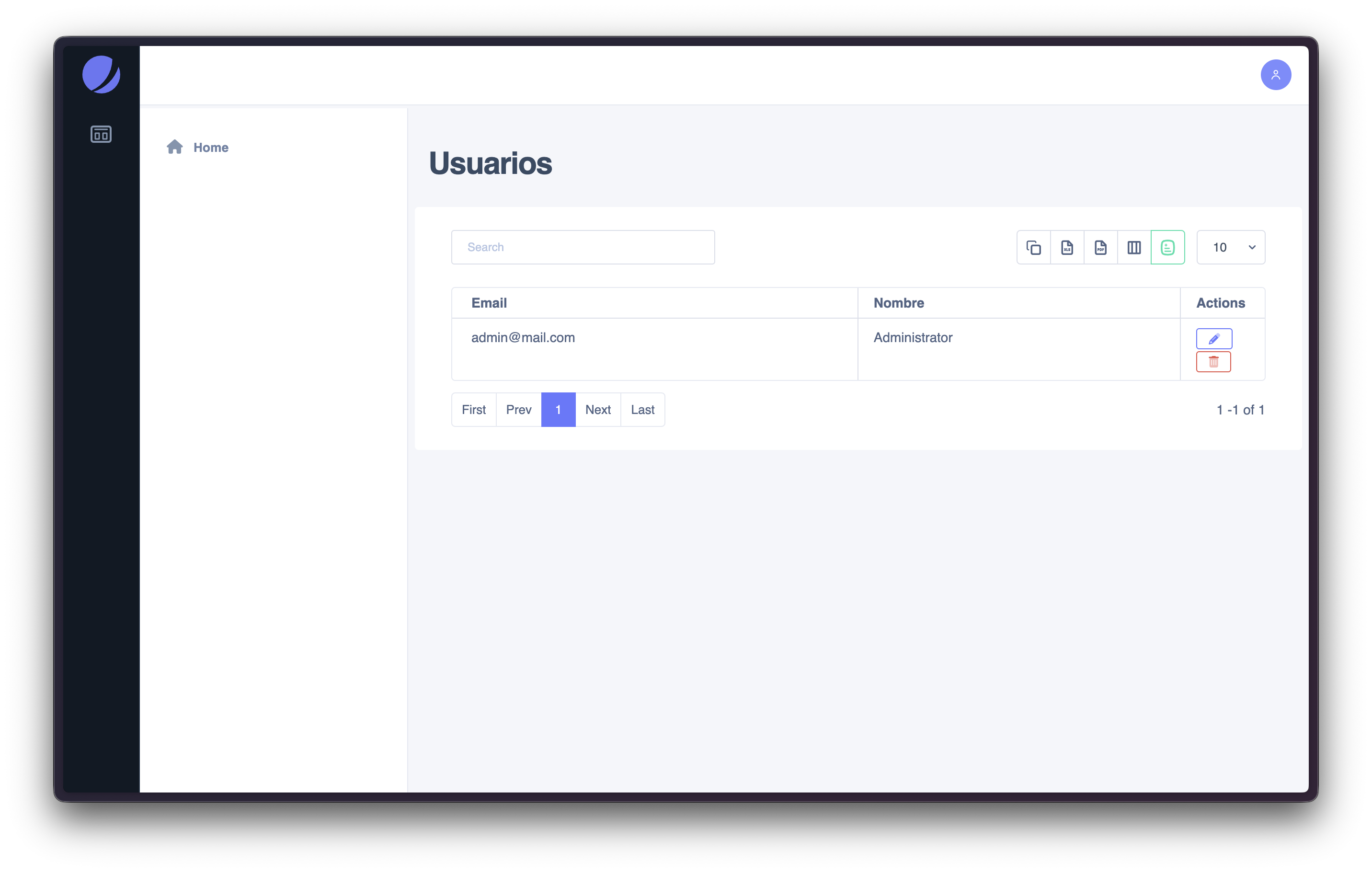
Searching Users
The search input allows you to quickly filter users by relevant identifiers (commonly email or name). This is the recommended approach when managing environments with many users.
Recommended usage- Use email when you need a precise match
- Use name when you are browsing or validating user identity
Pagination and Page Size
When the number of users exceeds a single page, the table uses pagination controls to navigate through results. Page size controls (if available) can be used to increase or reduce the number of items displayed per page depending on the task.
When to change page size- Increase when you are auditing many users
- Reduce when you want quicker browsing on slower machines
Available Actions
From the Users list, administrators can typically perform these actions:
Edit userUse this action to update basic user information (such as name or contact data, depending on your implementation). Editing is usually the safest operation and the most common.
Delete userUse this action to remove a user account when it is no longer needed. This is a sensitive operation and should be done carefully, especially if the user has related history (logs, assignments, records).
Recommended practice: ensure the user is not required for audit/history before deletion, or prefer deactivation when available.
Relationship to Roles and Permissions
User Management focuses on controlling who has an account in the system.
It does not define:
- what a user can do (permissions),
- or which modules a user can access (role configuration),
- or whether a module is available for the active company.
Those rules are defined in:
- Role Management
- Permission Management
- Company Management
Common Use Cases
- Locate a user and update profile details
- Remove access for users who no longer need the system
- Review the current list of active user accounts
- Validate that a user exists before assigning a role