Company Management defines the operational boundaries of the system. Every user action, role permission, and available module is evaluated within the context of a company.
Company Management
Company Management defines the operational boundaries of the system. Every user action, role permission, and available module is evaluated within the context of a company.
Overview
Company Management defines the operational boundaries of the system. Every user action, role permission, and available module is evaluated within the context of a company.
This module is designed around a progressive configuration flow: a company is first created with standard information, and only after that are advanced options such as module assignment and branch management enabled.
Companies List
The main Companies screen displays a table with all registered companies. Each row represents a company and includes standard identification and status information.
Typical fields include:
- Name
- Tax identifier (NIT)
- Contact information
- Status (active / inactive)
- Actions
This list serves as the starting point for all company-related configuration.
Reference Screenshot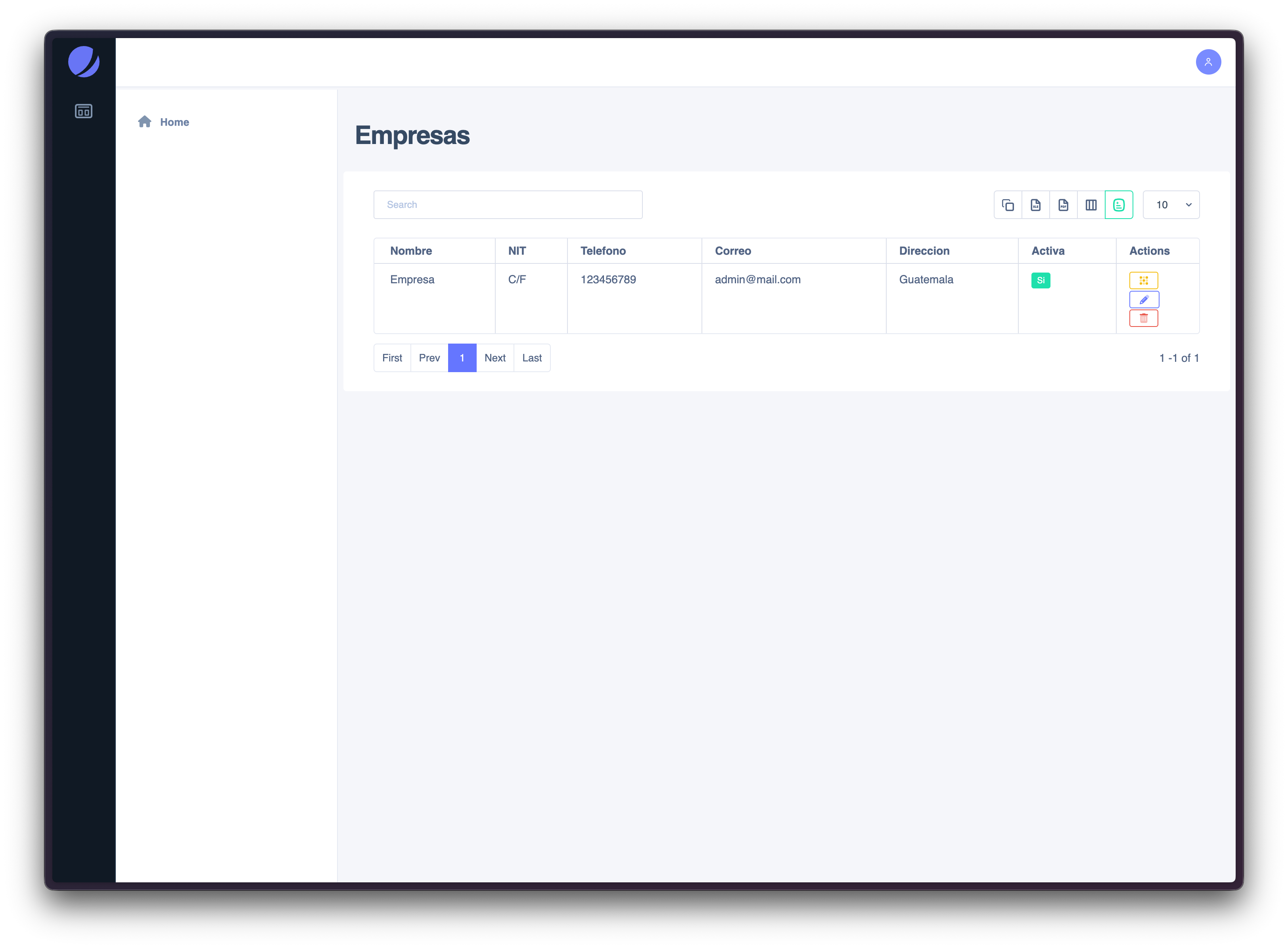
Creating a Company
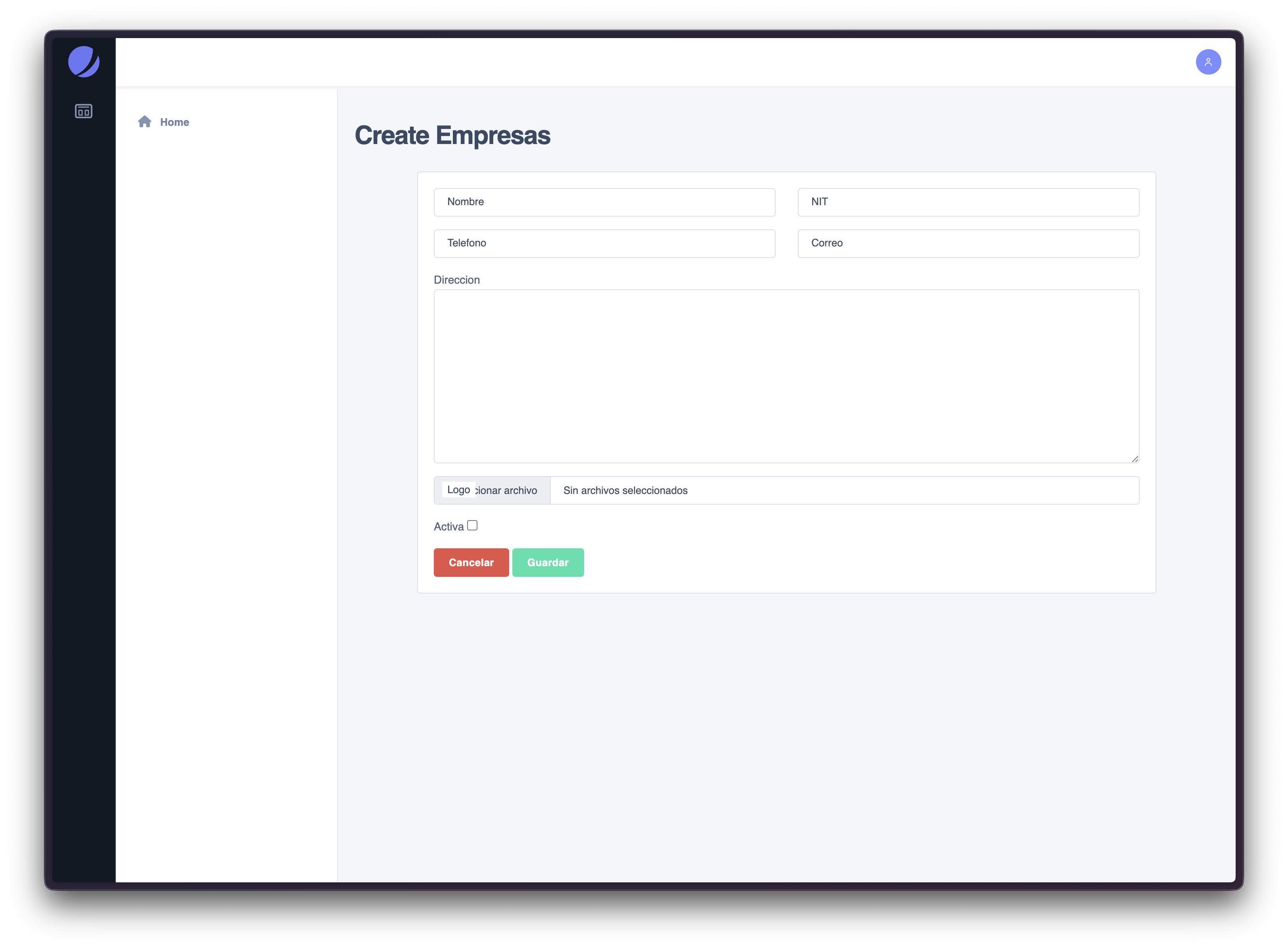
Creating a company is the first required step before any further configuration can be applied.
Required informationWhen creating a company, you must provide basic identification data, such as:
- Company name
- Tax or identification number (NIT)
- Contact email
- Phone number
- Address
Once saved, the company becomes available in the system and additional configuration options are unlocked.
Recommended practice- Use clear, official company names
- Ensure contact information is accurate, as it may be reused across modules
Company Options
After a company is created, an Options panel becomes available. This panel acts as a gateway to advanced company-level configuration.
From this panel, administrators can access:
- Module assignment
- Branch (Sucursal) management
This separation helps prevent incomplete configuration and ensures that only valid companies can receive modules or branches.
Reference Screenshot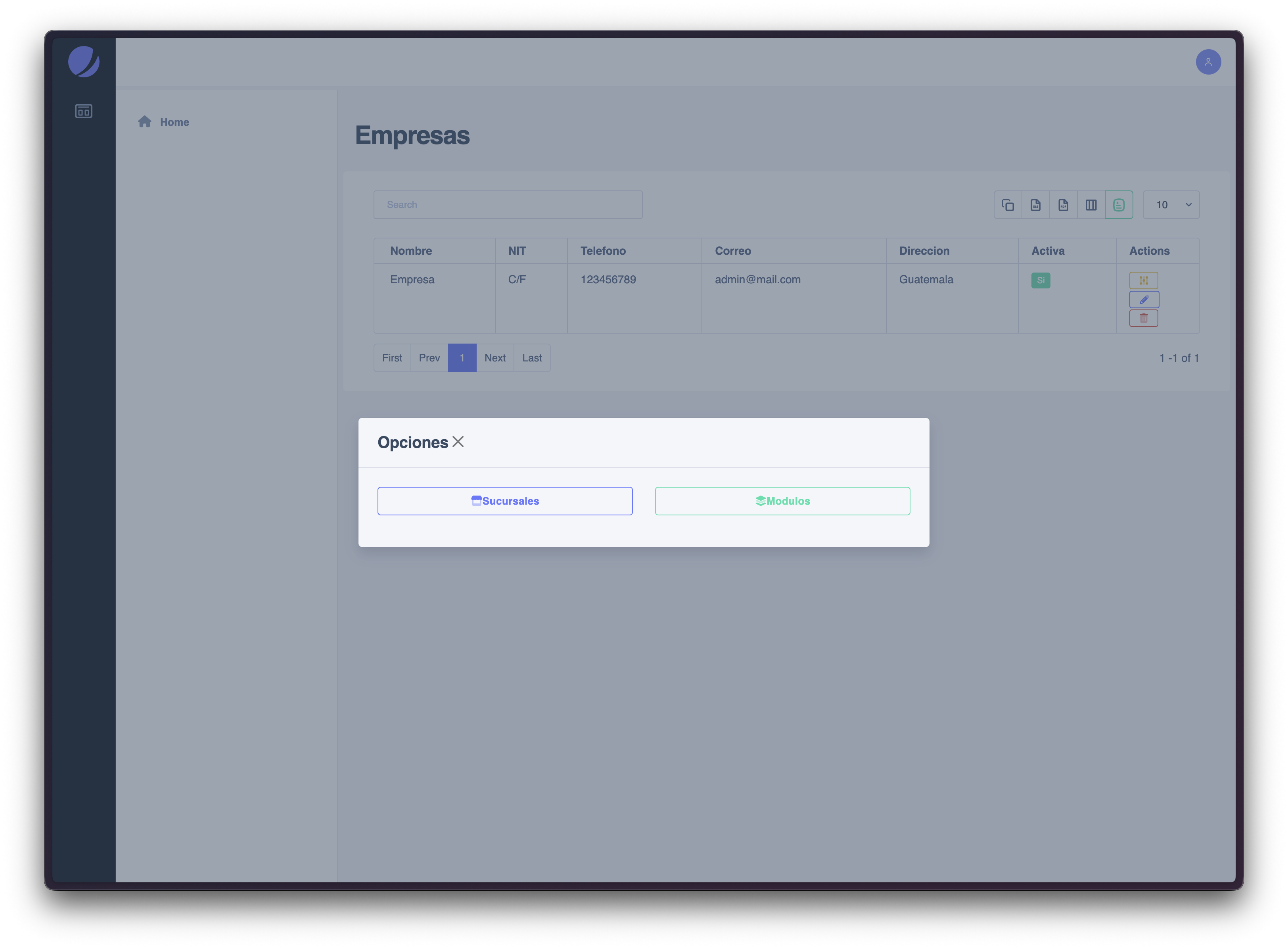
Assigning Modules to a Company
Modules determine which system features are available to a company.
How module assignment works- Modules are presented as a checklist
- Only selected modules will be accessible to the company
- Unselected modules are completely hidden from users within that company
Changes take effect immediately after saving.
Important Module assignment defines feature availability, not user permissions.A module must be enabled at the company level and permitted at the role level to be accessible.
Reference Screenshot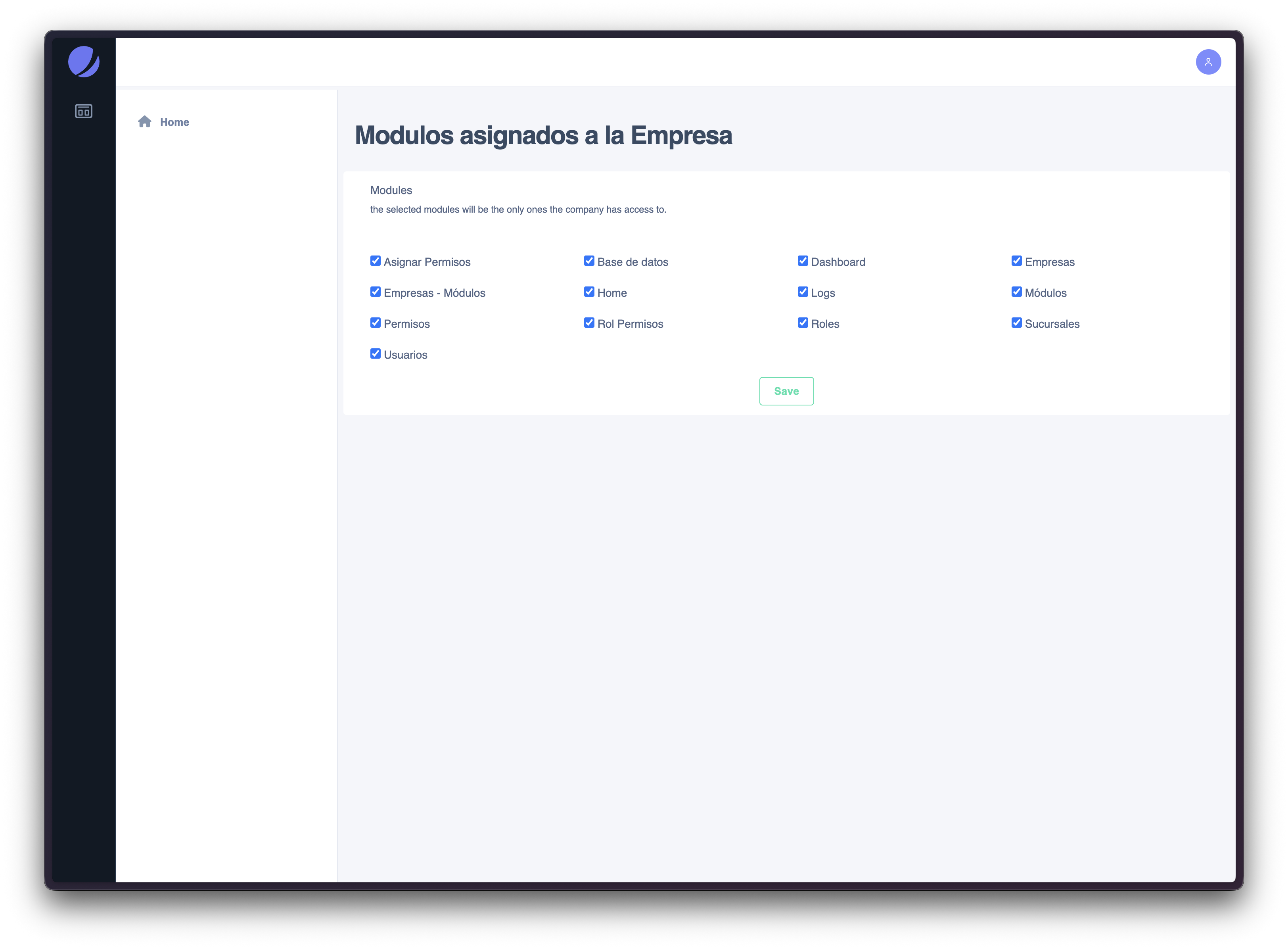
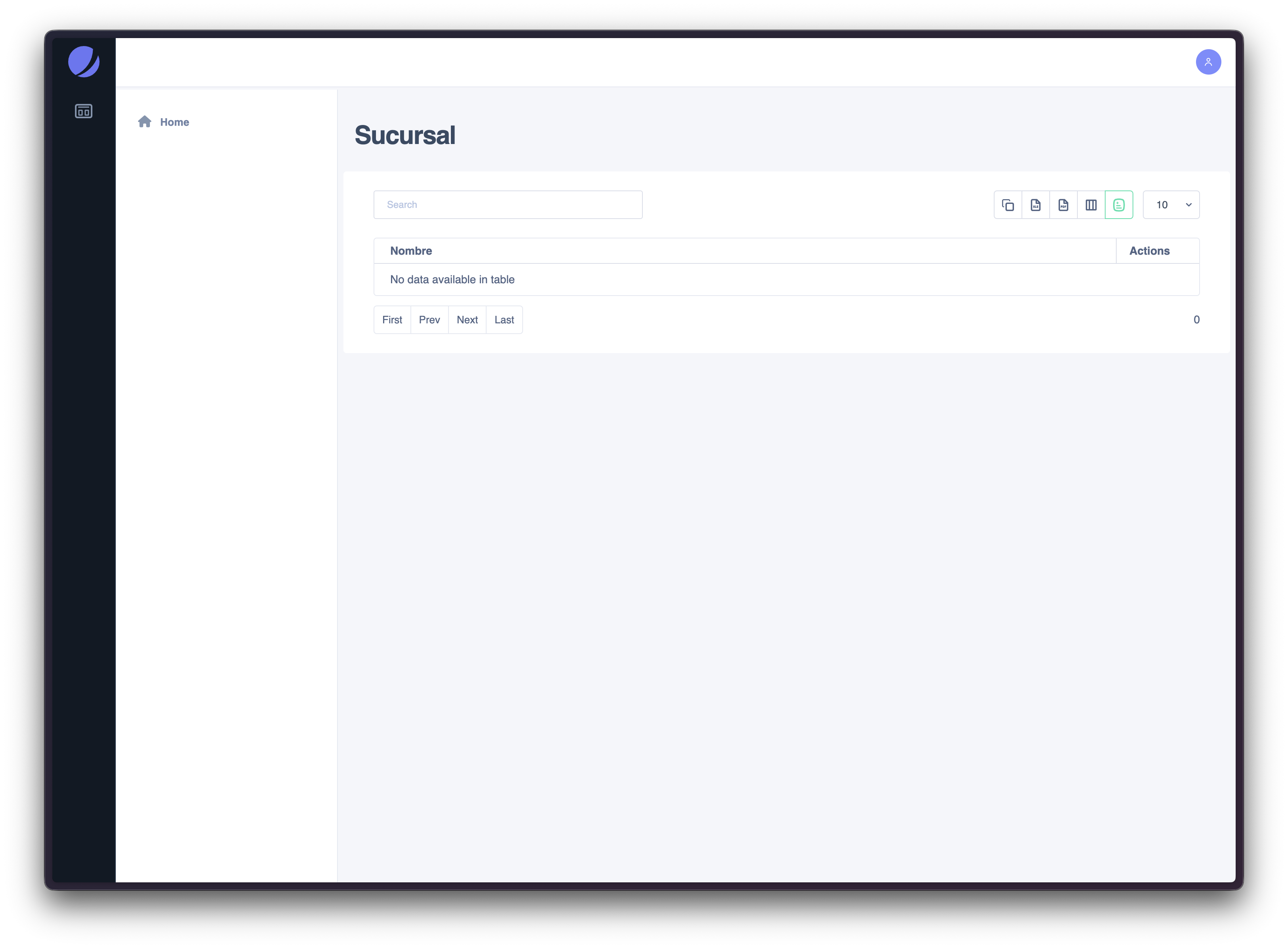
Managing Branches (Sucursales)
Branches allow companies to be subdivided into operational units.
Branch management behavior- Branches are managed through a simple CRUD interface
- Each branch requires only a name
- Branches are always linked to a specific company
This structure is useful for organizations with multiple locations or internal divisions.
Common use cases- Regional offices
- Departments
- Physical store locations
Editing and Deleting Companies
Edit companyUse this option to update company information or adjust configuration over time.
Delete companyDeleting a company removes its configuration from the system. This action may impact users, roles, and data associated with that company.
Recommended practice- Avoid deleting companies that have active users or historical data
- Consider deactivating instead of deleting when available
Common Scenarios
- Create a new company and enable only required modules
- Restrict system access by disabling unused modules
- Organize a company into branches for operational clarity
- Review company configuration during audits or onboarding
Relationship to Other Modules
Company Management defines where the system operates.
- Users operate within a company
- Roles apply permissions inside the company
- Modules define which features exist for that company
All three must align for access to be granted.